Are There App-Controlled Storage Unit Locks? Yes, and Here Is What to Check Wholesale

Home / News / Industry News / Are There App-Controlled Storage Unit Locks? Yes, and Here Is What to Check

Are There App-Controlled Storage Unit Locks? Yes, and Here Is What to Check

Short answer: yes. App-controlled storage unit locks exist, they are already installed at thousands of facilities, and retrofit versions can be fitted to doors that were hung long before anyone owned a smartphone. If you have ever stood in front of a rented unit with your phone in one hand and no key fob in the other, you have met the exact problem these locks were designed to remove.

The more useful answer is that an app-controlled lock is really two products doing one job. One is the electronic half that reads a credential sent from a phone. The other is the mechanical half that physically holds the door shut. Either half can fail, and the failure usually shows up at the worst possible moment. We manufacture both halves, so what follows is a practical walk through what is available, how the app actually reaches the lock, and what to check before you specify one.

Yes, App-Controlled Storage Unit Locks Are Already Commonplace

Self-storage access has moved through three stages in roughly twenty years: the padlock, the keypad, and now the phone. The shift happened for the same reason it happened in offices and hotels — operators wanted to stop handing out physical keys, and tenants wanted to stop carrying them.

In practice, "app-controlled" usually means a tenant downloads an app, verifies their identity once, and receives a digital credential scoped to one unit and often to a specific time window. The lock checks that credential locally over Bluetooth or NFC, or through a gateway that connects the lock to the operator's software. The tenant taps, the bolt retracts, and the operator gets a record of who opened which door and when.

The underlying electronics have matured quickly. If you want the wider picture, we published a short explainer on how active electronic lock technology has redefined industrial access control, and much of it applies directly to storage doors.

How the App Reaches the Lock: Four Working Methods

Not every app-controlled lock talks to a phone the same way, and the difference matters more than most buying guides admit.

  • Bluetooth Low Energy. The tenant's phone and the lock pair at the door. No network is required, which makes this the easiest retrofit on a site with poor coverage. The tenant has to be standing in front of the unit.
  • NFC. A tap or a very short hold transfers the credential. It is fast and works even when a phone's battery is nearly flat, but it needs a compatible handset or an issued card.
  • Wi-Fi or cellular gateway. The lock is connected continuously, so an operator can open a door remotely, change permissions instantly, and see live status. This is the most capable option and the one that depends on infrastructure at the site.
  • Keypad with app-issued codes. The app generates a rotating code rather than a radio connection. It is a sensible middle ground for doors where wireless hardware is impractical.

Whichever route you choose, ask what happens when the connection is unavailable. A lock that only works online is a lock that stops working the moment a router does.

App Control Is Only Half of the Lock

Once the electronics have approved the credential, something still has to move. On a storage door that is usually a latch, a deadbolt, or a three-point rod system, and it has to move reliably thousands of times across a wide temperature range while a tenant pulls on the handle at the same instant.

This is where plenty of smart locks quietly disappoint. Roll-up doors shift and settle, and swing doors sag on their hinges as the years pass. A lock with generous latch adjustment and a robust bolt throw forgives that movement. A lock with tight tolerances and no adjustment does not, and the result is a tenant on the phone to the site manager.

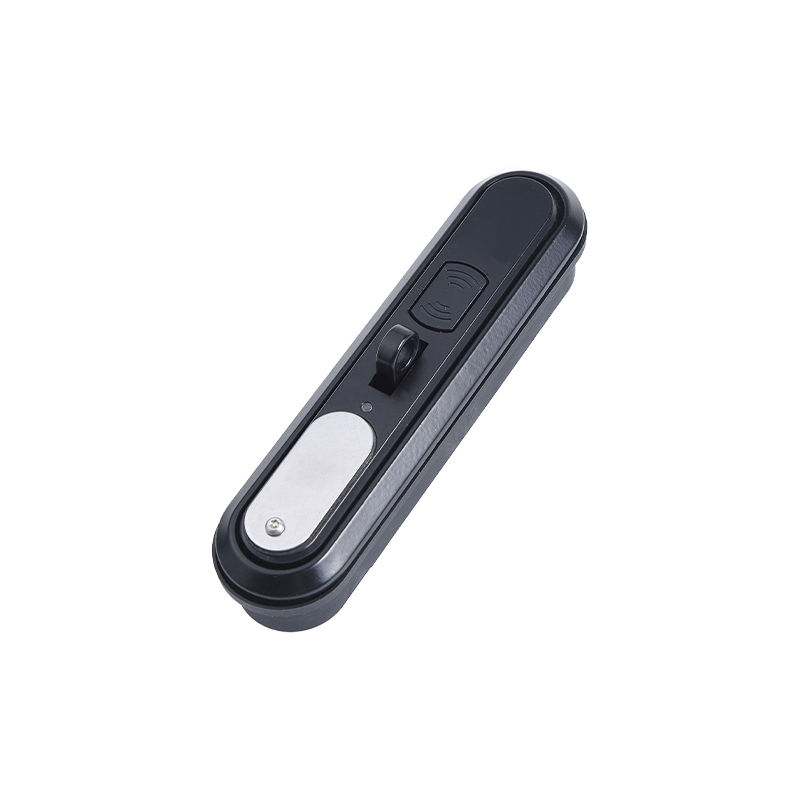
Our own electronic range splits into active and passive families. Active locks carry their own power and processing, so they can be woken by an app or an electronic key. Passive locks take their power and their identity from the device in the tenant's hand, which keeps the door hardware simpler and the battery question off the table. Both approaches support app unlocking, temporary authorisation for a friend or a mover, remote wireless release, and a mechanical or electronic-key fallback for the day the phone is lost.
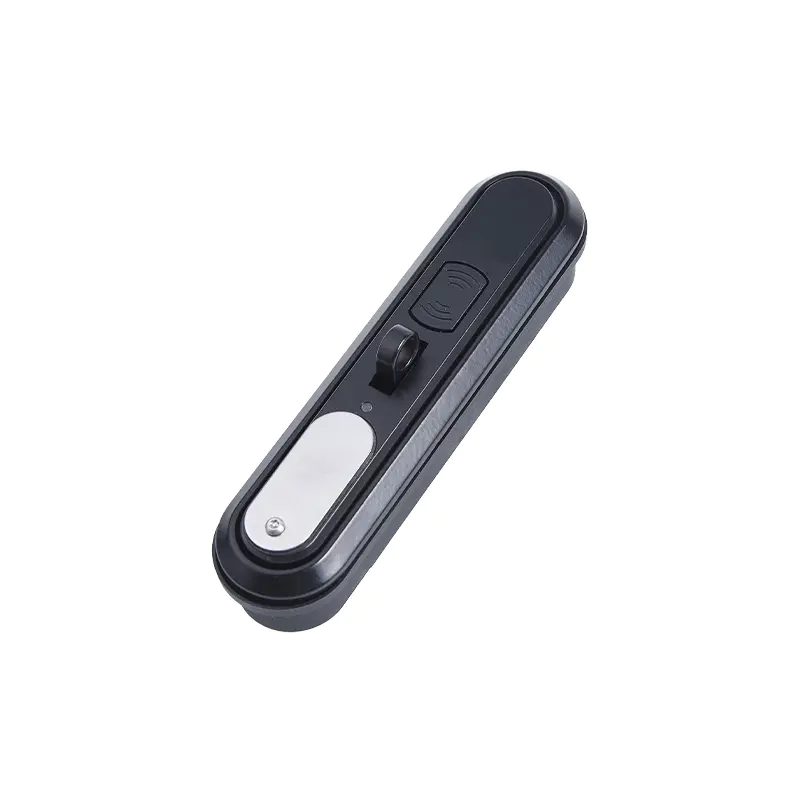
DS864-2P Active Electronic Lock with Multiple Unlocking MethodsDS864-2P Active Electronic Lock with Multiple Unlocking MethodsAn active electronic lock supporting app Bluetooth, card swipe, RS485 command, and emergency unlock; IP65 protection and 200,000-cycle service life suit storage access.View Product →

Models such as the DS8642P sit in the active family and were designed around multiple unlocking methods rather than a single one, which is exactly the redundancy a storage operator needs. Alongside them, the DS7126A passive lock pairs an electronic key with a QR code, a format that suits temporary or visitor access.
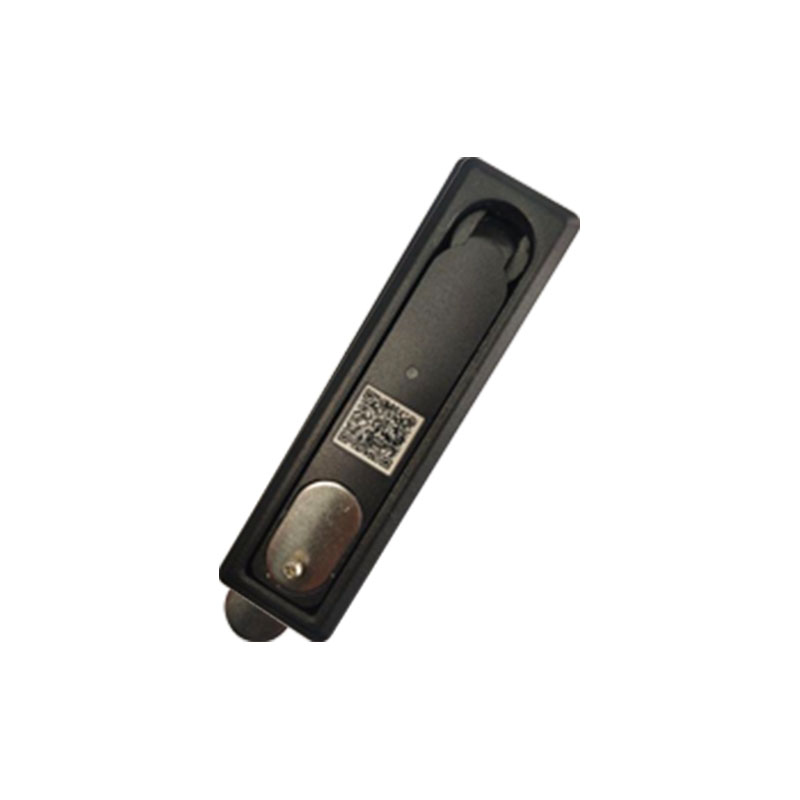
DS712-6A Passive Electronic Lock with QR CodeDS712-6A Passive Electronic Lock with QR CodePassive electronic lock pairing QR code access with electronic-key unlocking, suited to temporary or visitor entry where simpler door hardware is preferred.View Product →

For units that sit outdoors or beside a transformer yard, sealing and materials matter as much as the radio. The DS7052M is a good example of a compact passive lock built for electronic key unlocking in damp conditions.
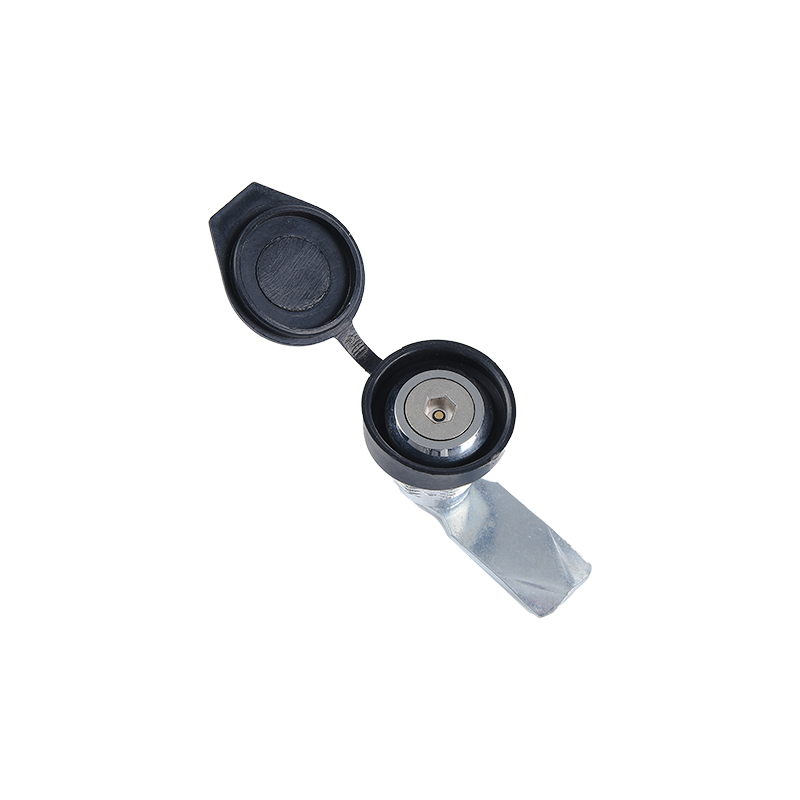
DS705-2M Passive Electronic Lock with Electronic Key UnlockDS705-2M Passive Electronic Lock with Electronic Key UnlockA compact passive lock using electronic-key unlocking, rated for 200,000 operating cycles and a 90° cylinder rotation, suited to retrofit access discussions.View Product →

Comparing the Main Access Options

The table below is the version we hand to facilities managers who are weighing a retrofit. It is deliberately blunt about the trade-offs.

Access methods commonly fitted to self-storage units, compared by how the tenant enters, who each option suits, and the compromise it carries.
Access method How the tenant gets in Works well for Main trade-off
Padlock or mechanical key Physical key or combination padlock Low-traffic sites, lowest upfront cost No audit trail; lost keys mean re-keying
Keypad code lock Shared or per-tenant PIN Simple upgrades on indoor units Codes get shared; changing them is manual
Bluetooth app lock Phone app wakes the lock over BLE Smartphone-first tenant bases Tenant must be at the door; battery care matters
NFC tap lock Tap of a phone or issued card High-traffic urban facilities Needs a compatible phone or a card
Gateway-managed lock App or web portal, remote release Multi-site operators wanting central control Depends on site network and service management

What to Verify Before You Retrofit an Existing Unit

Almost every failed smart-lock project we hear about traced back to a detail that was knowable before the order was placed. Work through this list first.

  1. Door type and thickness. A roll-up door, a swing door, and a walk-in locker door ask for completely different hardware. Measure the panel thickness before you pick a latch.
  2. Latch geometry and bolt throw. Note the existing cut-out, the centre distance, and how much adjustment the latch offers. Adapters exist, but only for some combinations.
  3. Weather exposure. Outdoor units need corrosion-resistant bodies, sealed electronics, and proper drainage rather than a plastic cover taped over a keyhole.
  4. Power and battery access. Ask how long a battery lasts, how the tenant is warned before it dies, and whether replacing it means dismantling the hardware.
  5. Radio behaviour at the door. Metal doors and long corridors are unkind to wireless signals. Test at the actual unit, not in the office.
  6. Offline fallback. Every electronic lock should have a documented way in when the phone, the network, or the battery is unavailable.
  7. Credential management. The real operational win is reissuing access in software when a tenant moves out instead of re-keying a cylinder by hand.
  8. Duty cycle. A busy facility is a hard environment. Ask for cycle testing and load figures rather than a marketing claim.

Where App Control Fits, and Where It Does Not

App-controlled access earns its cost in facilities with high tenant turnover, 24-hour access, or several sites managed from one desk. The software pays for itself the first time a late-night access request is handled without a phone call.

It is a poorer fit where the tenant base is not smartphone-oriented, where there is genuinely no power or network at the door and no appetite for batteries, or where a single padlock has worked without complaint for a decade. In those cases a good mechanical lock with a well-protected cylinder is still the honest recommendation. We would rather say so than sell electronics that sit unused.

Start With the Door, Then Add the App

App control is a feature, not a foundation. The lock still has to hold the door, survive the weather, and line up on the thousandth opening. Choose the mechanical hardware for the door in front of you, then choose the electronic layer that matches how the site is actually managed.

If you are specifying locks for storage units, cabinets, or outdoor enclosures, you are welcome to browse our electronic lock range, or send us the door drawing and we will tell you honestly whether an app-controlled model is the right answer — and which one.

Product Description

OUR COMPANY

We are a high-quality manufacturer specializing in
R&D, production and sales of industrial locks.

Ningbo Oubao Technology Co., Ltd.

As China Are There App-Controlled Storage Unit Locks? Yes, and Here Is What to Check Suppliers and Are There App-Controlled Storage Unit Locks? Yes, and Here Is What to Check Factory, Ningbo Oubao Technology Co., Ltd. specializes in the production of high and low voltage switch cabinet locks, chassis cabinet locks, instrument cabinet locks, communication cabinet locks electronic locks and hinges, handles, limit devices, cabinet lock accessories and other products, which are widely used in industrial cabinets, engineering Machinery, network, communication, computer industry, automobile industry, navigation, high-speed rail, rail transportation, machinery and equipment and other industries. In order to adapt to the development of the market, Oubao has developed more than ten types of electronic lock product models, which have various functions such as APP unlocking, WeChat temporary authorized unlocking, remote wireless unlocking, and Bluetooth copper key emergency unlocking. Survive, honest service and development" business purpose. Committed to providing you with high-quality products and high-quality services. There is a professional and dedicated design management team, from product design, mold making, product die-casting, sprinting, hardware CNC machining, surface treatment, to assembly, every link and process has been strictly tested and controlled. In recent years, the company has continuously Introduce advanced technology and equipment to optimize production efficiency.

News

Contact

Please complete the form below and one of our team will get back to you as soon as possible.

News

Home / News / Industry News / Are There App-Controlled Storage Unit Locks? Yes, and Here Is What to Check

Are There App-Controlled Storage Unit Locks? Yes, and Here Is What to Check

Short answer: yes. App-controlled storage unit locks exist, they are already installed at thousands of facilities, and retrofit versions can be fitted to doors that were hung long before anyone owned a smartphone. If you have ever stood in front of a rented unit with your phone in one hand and no key fob in the other, you have met the exact problem these locks were designed to remove.

The more useful answer is that an app-controlled lock is really two products doing one job. One is the electronic half that reads a credential sent from a phone. The other is the mechanical half that physically holds the door shut. Either half can fail, and the failure usually shows up at the worst possible moment. We manufacture both halves, so what follows is a practical walk through what is available, how the app actually reaches the lock, and what to check before you specify one.

Yes, App-Controlled Storage Unit Locks Are Already Commonplace

Self-storage access has moved through three stages in roughly twenty years: the padlock, the keypad, and now the phone. The shift happened for the same reason it happened in offices and hotels — operators wanted to stop handing out physical keys, and tenants wanted to stop carrying them.

In practice, "app-controlled" usually means a tenant downloads an app, verifies their identity once, and receives a digital credential scoped to one unit and often to a specific time window. The lock checks that credential locally over Bluetooth or NFC, or through a gateway that connects the lock to the operator's software. The tenant taps, the bolt retracts, and the operator gets a record of who opened which door and when.

The underlying electronics have matured quickly. If you want the wider picture, we published a short explainer on how active electronic lock technology has redefined industrial access control, and much of it applies directly to storage doors.

How the App Reaches the Lock: Four Working Methods

Not every app-controlled lock talks to a phone the same way, and the difference matters more than most buying guides admit.

  • Bluetooth Low Energy. The tenant's phone and the lock pair at the door. No network is required, which makes this the easiest retrofit on a site with poor coverage. The tenant has to be standing in front of the unit.
  • NFC. A tap or a very short hold transfers the credential. It is fast and works even when a phone's battery is nearly flat, but it needs a compatible handset or an issued card.
  • Wi-Fi or cellular gateway. The lock is connected continuously, so an operator can open a door remotely, change permissions instantly, and see live status. This is the most capable option and the one that depends on infrastructure at the site.
  • Keypad with app-issued codes. The app generates a rotating code rather than a radio connection. It is a sensible middle ground for doors where wireless hardware is impractical.

Whichever route you choose, ask what happens when the connection is unavailable. A lock that only works online is a lock that stops working the moment a router does.

App Control Is Only Half of the Lock

Once the electronics have approved the credential, something still has to move. On a storage door that is usually a latch, a deadbolt, or a three-point rod system, and it has to move reliably thousands of times across a wide temperature range while a tenant pulls on the handle at the same instant.

This is where plenty of smart locks quietly disappoint. Roll-up doors shift and settle, and swing doors sag on their hinges as the years pass. A lock with generous latch adjustment and a robust bolt throw forgives that movement. A lock with tight tolerances and no adjustment does not, and the result is a tenant on the phone to the site manager.

Our own electronic range splits into active and passive families. Active locks carry their own power and processing, so they can be woken by an app or an electronic key. Passive locks take their power and their identity from the device in the tenant's hand, which keeps the door hardware simpler and the battery question off the table. Both approaches support app unlocking, temporary authorisation for a friend or a mover, remote wireless release, and a mechanical or electronic-key fallback for the day the phone is lost.

DS864-2P Active Electronic Lock with Multiple Unlocking MethodsDS864-2P Active Electronic Lock with Multiple Unlocking MethodsAn active electronic lock supporting app Bluetooth, card swipe, RS485 command, and emergency unlock; IP65 protection and 200,000-cycle service life suit storage access.View Product →

Models such as the DS8642P sit in the active family and were designed around multiple unlocking methods rather than a single one, which is exactly the redundancy a storage operator needs. Alongside them, the DS7126A passive lock pairs an electronic key with a QR code, a format that suits temporary or visitor access.

DS712-6A Passive Electronic Lock with QR CodeDS712-6A Passive Electronic Lock with QR CodePassive electronic lock pairing QR code access with electronic-key unlocking, suited to temporary or visitor entry where simpler door hardware is preferred.View Product →

For units that sit outdoors or beside a transformer yard, sealing and materials matter as much as the radio. The DS7052M is a good example of a compact passive lock built for electronic key unlocking in damp conditions.

DS705-2M Passive Electronic Lock with Electronic Key UnlockDS705-2M Passive Electronic Lock with Electronic Key UnlockA compact passive lock using electronic-key unlocking, rated for 200,000 operating cycles and a 90° cylinder rotation, suited to retrofit access discussions.View Product →

Comparing the Main Access Options

The table below is the version we hand to facilities managers who are weighing a retrofit. It is deliberately blunt about the trade-offs.

Access methods commonly fitted to self-storage units, compared by how the tenant enters, who each option suits, and the compromise it carries.
Access method How the tenant gets in Works well for Main trade-off
Padlock or mechanical key Physical key or combination padlock Low-traffic sites, lowest upfront cost No audit trail; lost keys mean re-keying
Keypad code lock Shared or per-tenant PIN Simple upgrades on indoor units Codes get shared; changing them is manual
Bluetooth app lock Phone app wakes the lock over BLE Smartphone-first tenant bases Tenant must be at the door; battery care matters
NFC tap lock Tap of a phone or issued card High-traffic urban facilities Needs a compatible phone or a card
Gateway-managed lock App or web portal, remote release Multi-site operators wanting central control Depends on site network and service management

What to Verify Before You Retrofit an Existing Unit

Almost every failed smart-lock project we hear about traced back to a detail that was knowable before the order was placed. Work through this list first.

  1. Door type and thickness. A roll-up door, a swing door, and a walk-in locker door ask for completely different hardware. Measure the panel thickness before you pick a latch.
  2. Latch geometry and bolt throw. Note the existing cut-out, the centre distance, and how much adjustment the latch offers. Adapters exist, but only for some combinations.
  3. Weather exposure. Outdoor units need corrosion-resistant bodies, sealed electronics, and proper drainage rather than a plastic cover taped over a keyhole.
  4. Power and battery access. Ask how long a battery lasts, how the tenant is warned before it dies, and whether replacing it means dismantling the hardware.
  5. Radio behaviour at the door. Metal doors and long corridors are unkind to wireless signals. Test at the actual unit, not in the office.
  6. Offline fallback. Every electronic lock should have a documented way in when the phone, the network, or the battery is unavailable.
  7. Credential management. The real operational win is reissuing access in software when a tenant moves out instead of re-keying a cylinder by hand.
  8. Duty cycle. A busy facility is a hard environment. Ask for cycle testing and load figures rather than a marketing claim.

Where App Control Fits, and Where It Does Not

App-controlled access earns its cost in facilities with high tenant turnover, 24-hour access, or several sites managed from one desk. The software pays for itself the first time a late-night access request is handled without a phone call.

It is a poorer fit where the tenant base is not smartphone-oriented, where there is genuinely no power or network at the door and no appetite for batteries, or where a single padlock has worked without complaint for a decade. In those cases a good mechanical lock with a well-protected cylinder is still the honest recommendation. We would rather say so than sell electronics that sit unused.

Start With the Door, Then Add the App

App control is a feature, not a foundation. The lock still has to hold the door, survive the weather, and line up on the thousandth opening. Choose the mechanical hardware for the door in front of you, then choose the electronic layer that matches how the site is actually managed.

If you are specifying locks for storage units, cabinets, or outdoor enclosures, you are welcome to browse our electronic lock range, or send us the door drawing and we will tell you honestly whether an app-controlled model is the right answer — and which one.